


Sales Content AI Agent Guide: Content That Moves Deals Forward
Updated:
Published:


A useful sales message depends on what the seller knows about the buyer and what’s happening in the account. This guide shows how Salesloft carries that context into emails, calls, and follow-up so sellers can spend less time getting up to speed and building the right story for every interaction.
Start with a useful account picture
Good personalization usually starts before anyone writes a word.
A seller needs to understand why the account is worth contacting and what’s happening there now. That can mean knowing about a recent company change, seeing the history of the relationship, or understanding what content the account has already engaged with.
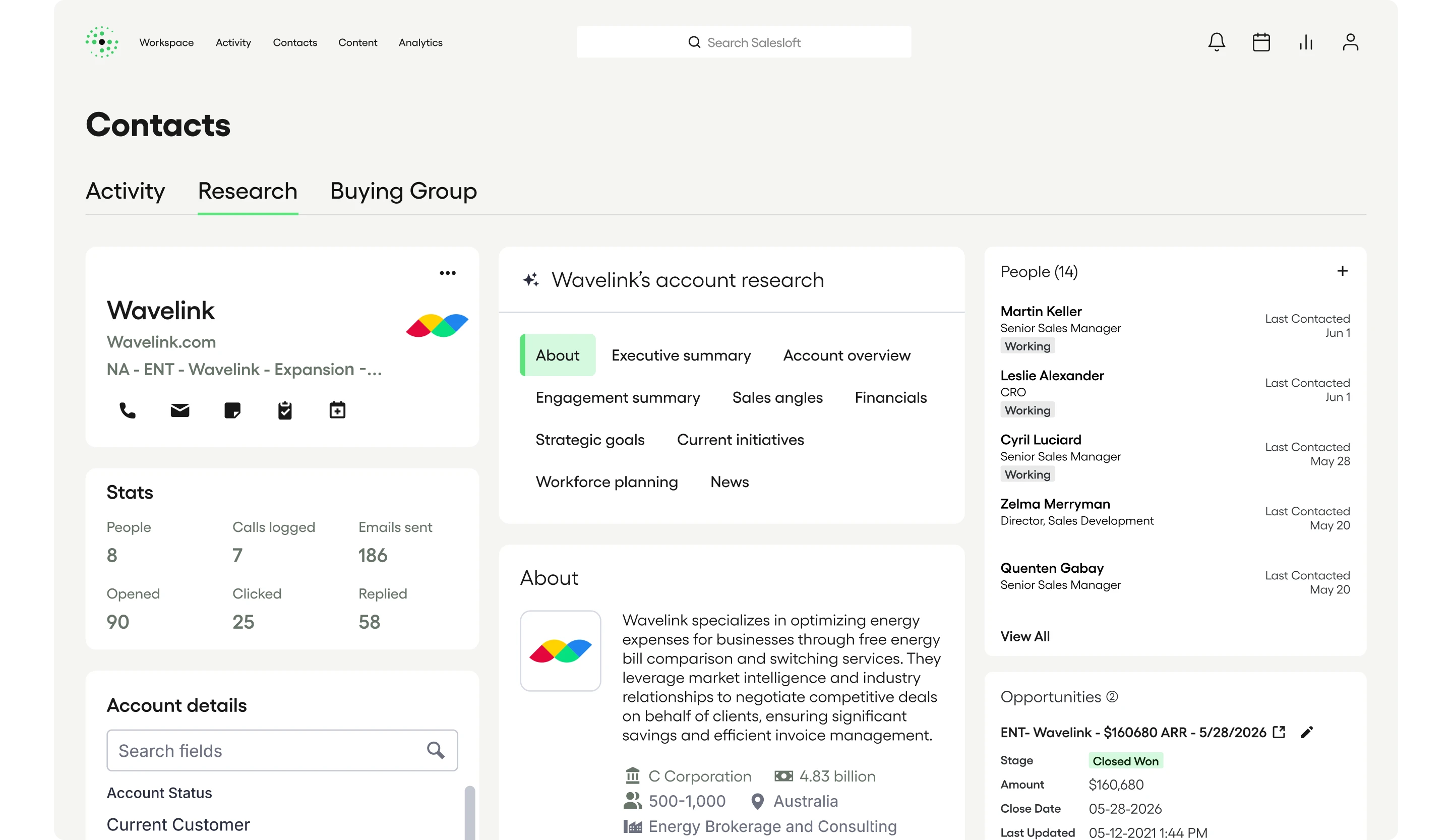
Account Research Agent brings together information from the web, your CRM, and Salesloft in a concise account summary. The research can include recent company news along with previous engagement and activity.
The company is only part of the picture, though. The same message can land very differently depending on who receives it. Two people at the same company can care about very different things.
The Person Research Agent helps sellers understand the individual buyer, using contact-level context such as previous conversations, email history, and recent activity. It can also capture what’s been learned about that person’s priorities or influence as the relationship develops.
That context gives the seller something more useful than a title or persona when they’re deciding what to say.
It also matters who else should hear the message. Buyer Identification Agent can help identify relevant stakeholders in the account when ZoomInfo Buying Committee data is available, including contacts who may not yet be in Salesloft or the CRM..
The seller can then think about the message in terms of the actual people involved in the buying process rather than writing one generic version for an entire account.
Give AI the messaging your team trusts
Research can tell you what’s happening with the buyer. But this information is only half the equation. Your company also has its own point of view about what sellers should say.
That knowledge often lives across product materials, competitive guidance, and enablement content. Sellers learn pieces of it over time, but they shouldn’t have to hunt it down whenever they need to write an email.
AI Knowledge Library gives teams a central place for approved product, persona, and competitive guidance that Salesloft AI can use when generating content.
That means the message can reflect what Salesloft knows about the buyer while also drawing from the messaging your organization wants sellers to use.
Tell the AI what this step is for
The next piece is telling the AI what the message is supposed to accomplish. The same buyer context can lead to very different emails depending on where the seller is in the conversation and your specific goal.
An introductory email has a different job from a follow-up. A message prompted by new buyer activity may need a different approach from one that’s part of planned outbound.
Salesloft lets teams define the purpose of a Cadence and add instructions to individual steps. Those instructions give AI more information about what the seller is trying to accomplish before it generates the content.
Build personalization into planned outbound
Writing individually for every buyer can quickly become the part of personalization that doesn’t scale.
AI Emails for Cadence can generate customized emails using buyer and company context, with Account Research and AI Knowledge Library providing additional information for the draft.
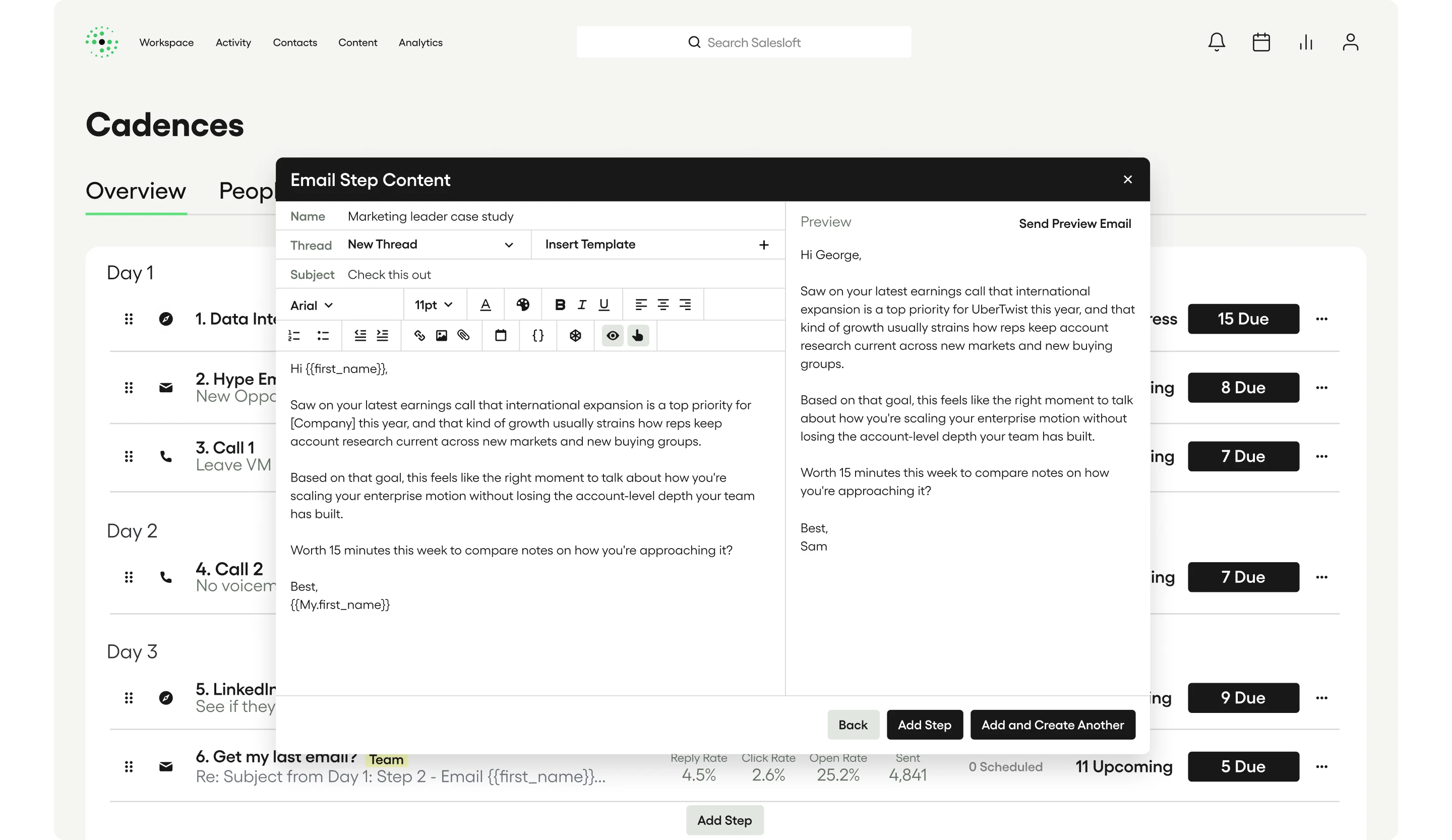
Sellers can review the message before it goes out and make changes when they know something the system doesn’t. Recent Salesloft enhancements also include a higher-fidelity preview and inline AI revision so sellers can refine the draft where they’re already working.
Teams can also A/B test AI-generated Cadence emails. That gives them a way to learn which approaches are working instead of treating AI-generated content as finished the moment it’s created.
Respond when a signal gives you a reason
Planned outbound is only one part of the seller’s day. Sometimes the reason to write appears unexpectedly.
A buyer signal can create a useful opening for a conversation. But the seller has to understand why the signal matters and what to say in response.
That’s where Plays can help. Teams can define what should happen when important signals appear, including situations where the next best action is an email.
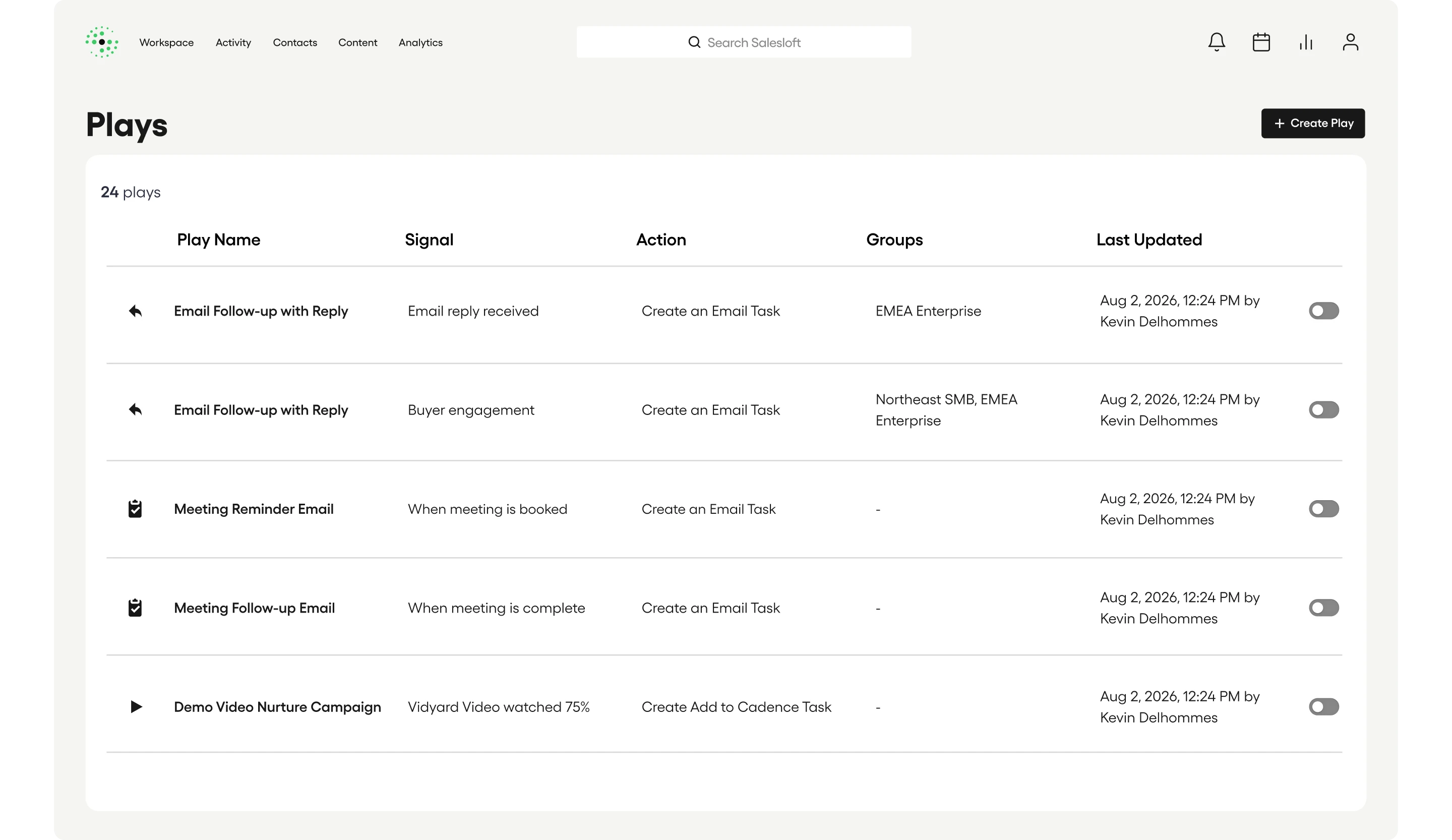
AI Email Tasks for Plays can draft that message using the context behind the signal along with information about the buyer and account. The seller gets a message tied to the reason the task appeared rather than a generic prompt telling them to follow up.
That matters because timing alone doesn’t make a message relevant. The seller also needs something useful to say.
Let sellers make the message their own
Even a well-informed first draft may need a human edit.
A seller may know how a buyer prefers to communicate. They may want to shorten a message or change the tone based on the relationship. Sometimes they simply have a better way to say something.
The AI Email Assistant gives sellers those editing controls directly in the email workflow. Sellers can change tone, adjust length, or refine parts of the draft without starting over.
AI Snippets offer another option for smaller pieces of the message. Teams can create predefined prompts that sellers can use while assembling personalized content.
Carry the same context into the call
The context behind a good email can also make a call better.
The AI Phone Step uses the purpose of the Cadence and instructions attached to the step to generate tailored talking points before the seller calls.
That lets a team carry its approach into the call while still giving the seller something shaped around the buyer they’re actually speaking with.
During the conversation, Salesloft Conversation Intelligence can keep adding to what the team knows. AI Smart Battlecards can also surface relevant guidance when configured trigger words come up during a live call.
What the buyer says then becomes useful context for whatever comes next.
Let the conversation shape the follow-up
The best follow-up usually comes from the conversation that just happened.
Salesloft Conversation Intelligence captures that discussion and can identify summaries and action items from it. Those details can then be used to generate contextual follow-up tasks and emails.
A seller can start from what the buyer actually said rather than trying to reconstruct the meeting later.
The same idea applies deeper in an active deal. When a leader identifies a need for buyer follow-up in Forecast or Inspect, Salesloft can create an AI-generated draft informed by available deal context and approved messaging from the AI Knowledge Library.
As the opportunity develops the message will change, but the principle stays the same: the content should come from what the team knows about this buyer, this account, and this moment.
Keep what you learn in the next message
Sales content gets better when every interaction gives the next one something to work with and build on.
Research can shape the first message. Buyer activity can create a reason to reach out. A conversation can add new information that changes the follow-up.
Salesloft keeps those pieces connected so sellers don’t have to begin again every time they write or call a buyer. They can start with the context that already exists, apply what their team knows works, and make the final impactful message their own.
Related resources
- Pipeline-Building Agents Interactive Tour
- Salesloft AI Agents
- Salesloft Plays
- Salesloft Conversation Intelligence